
When an agent picks up a job on a real codebase, it does not know where anything is. So it looks. It lists folders, searches for names that sound right, and opens files to see what is inside. Most of what it opens is the wrong file. Every step costs tokens and time, and it happens again on the next job, because the agent remembers nothing from the last one.
Teams usually try to fix this by writing it all down. A rules file says where things live and what never to do. That helps until someone renames a file. The rule still names the old path, nothing fails, and the rule quietly stops applying. Or the rules file grows until every agent reads all of it, and a one-line fix arrives with pages of advice about code it will never touch.
We built the code index to fix both. Here's the breakdown.
A map, built from the code
When a project has a GitHub repository connected, OPVS keeps a map of it: the folders, the files, the functions and classes in them, and which file imports which. A parser builds the map on your workspace's build machine by reading how the code is laid out. No AI model is involved, and no source code is sent to a model provider to build it.
The map follows your merges. A merge to the connected branch starts a fresh index, and a regular check catches any merge that was missed. Every answer says which commit it describes, so an agent can tell how current it is.
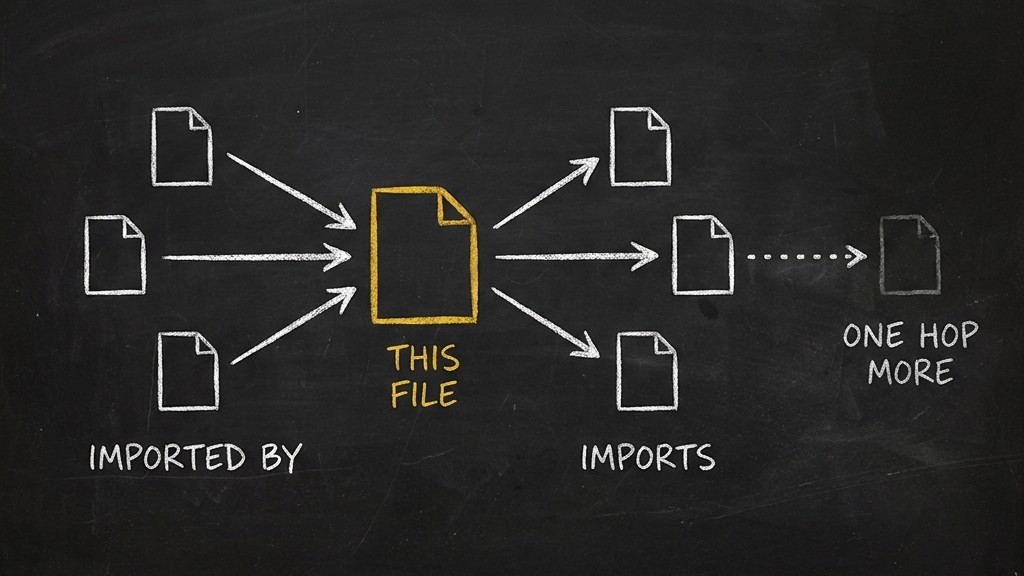
You can see the map too. Open a project's Code index and choose Graph. It opens on folders and the imports between them. Pick a file and it is drawn in columns: the files that import it on one side, the files it imports on the other. One click goes one step further out. We never draw the whole repository at once, because a picture of every file tells you nothing.
Agents start in the right place
The same map answers agents. Before an agent changes anything, it can ask where things are and what is connected to the file it is about to touch, and go straight there instead of searching.
It can also ask a simpler question that saves a lot of rework: does this already exist? If a project already has a function that formats dates, the agent finds it and uses it instead of writing another one. Over months, that is the difference between one date helper and five slightly different ones.
This matters more when you run more than one kind of model. Big models are good at finding their way around a large project. Smaller and cheaper ones often get lost. When every agent starts from the same map, a smaller model can take on work it would otherwise fumble, and you are not stuck waiting on your most expensive subscription.
Agents reach the map through the @opvs-ai/code-index skill, the opvs CLI and the OPVS MCP server.
Lessons tied to code, not to a path
The second half of this release is about what your team learns.
A lesson in OPVS can now be linked to a file, a function or a folder. The link is to the code itself, not to the text of its path. Take an example repository, acme/shop:
- Your team records a lesson on
checkout/payment.py: refunds go throughissue_refund, never straight to the payment provider. - Someone moves the file to
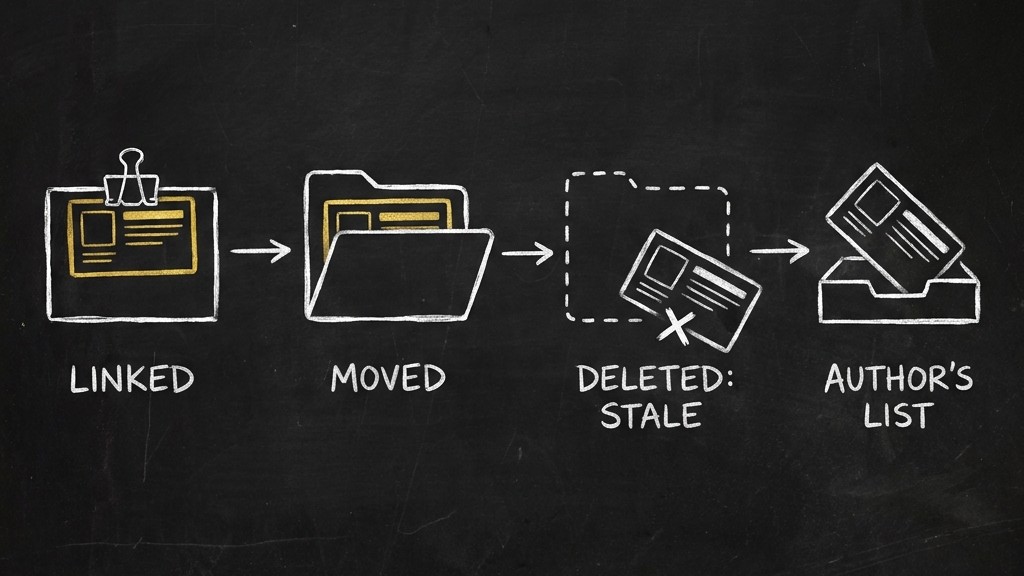
billing/payment.py. The next index sees the move, and the lesson moves with it. Nobody edits anything. - Later, the file is deleted. The lesson is not removed, and it is not left looking current either. It is marked stale and appears in its author's list of stale lessons, so a person decides whether it still means anything.
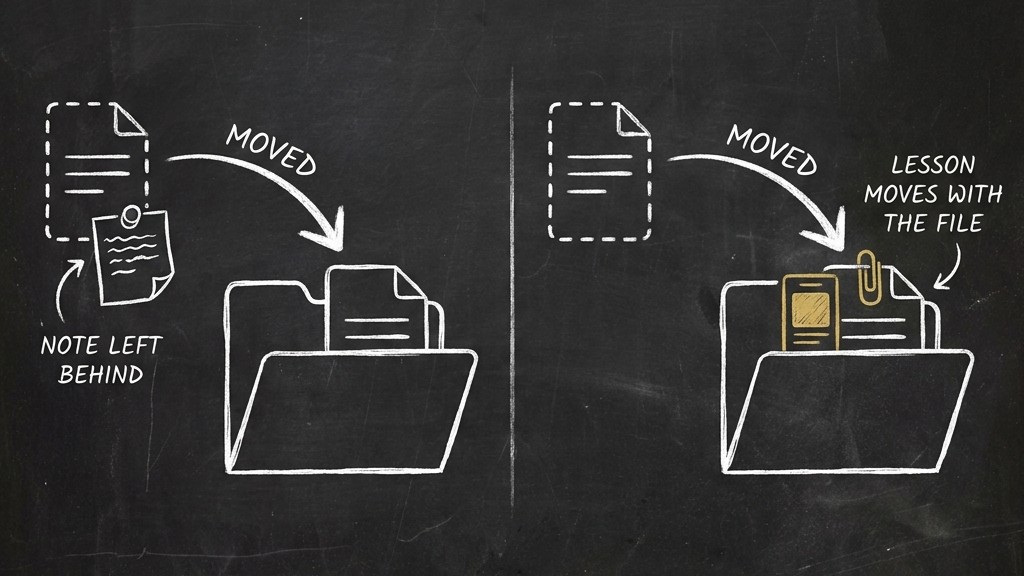
A lesson that quietly outlives its code is worse than no lesson. Marking it stale puts the decision in front of a person instead of leaving it quietly wrong.
The right lessons, not the whole rulebook
This is the part we built the rest for.
An agent about to work on a card knows which files it plans to change. It can now ask OPVS one question: what lessons are near these files?
OPVS answers from the map. It starts at those files and walks out two steps: the files they import, the files that import them, and the folders above them. Then it returns the lessons linked anywhere on that walk. Pinned lessons come first. Each one says how far away it was found and along which path, so the agent can tell a lesson about its own file from one about a neighbour.
In acme/shop, an agent about to change checkout/cart.py gets the refund lesson, because cart.py imports billing/payment.py. It does not get the lessons about the admin panel or the email templates. Those are real lessons. They are just not about this change.
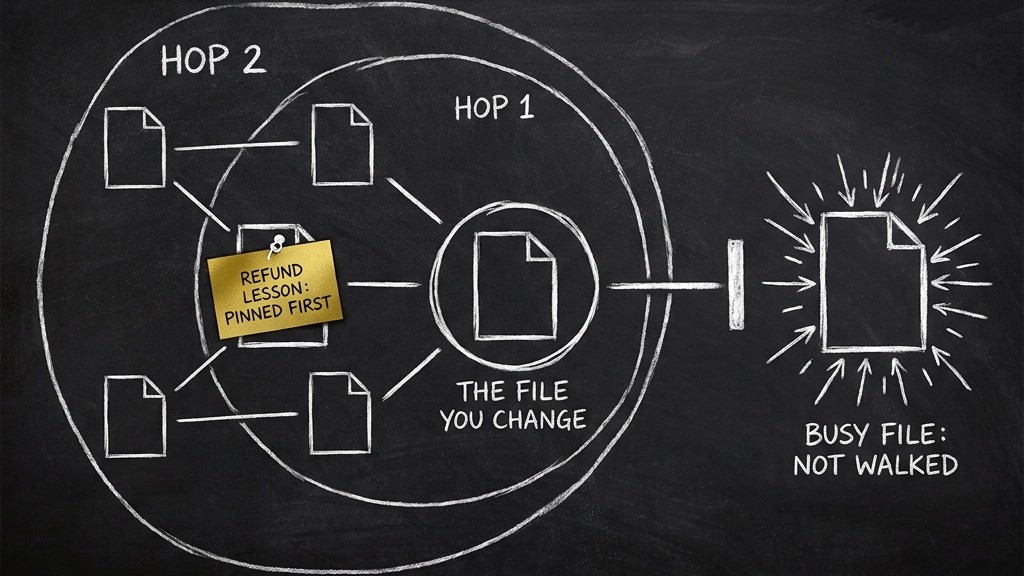
Some files are imported by almost everything, like a settings module or a shared helper. Walking through one of those would pull in half the repository, so OPVS names these busy files in its answer and does not walk through them. And if the map or the lesson store cannot be reached, the agent gets an empty answer with a reason and carries on. A missing lesson never stops a build.
Fewer copies of the same lesson
Teams that write lessons write the same lesson more than once. Before an agent writes a new one, it can ask whether a similar lesson already exists and update that one instead. A new lesson that closely matches an old one is saved with a pointer to it, so the overlap is easy to find and merge later.
Two choices we made on purpose
The graph shows imports inside your repository and nothing else. A line between two files means one imports the other. We did not draw guesses about what talks to what at runtime, because a confident picture of a guess is worse than no picture.
A lesson that goes stale is flagged where people read it: on the lesson itself and in its author's stale list. We did not add another notification. A stale lesson is a question for whoever wrote it, and that is where it waits.
Try it
Open a project, go to Settings, then Repository, and connect your GitHub repository. Make sure your workspace has a build machine (Machines, then Add machine). The map builds itself from there. Then open the project's Code index and choose Graph.
For agents, install the @opvs-ai/code-index and @opvs-ai/agentmemory skills from https://market.opvs.ai. The methods, defaults and limits are in the docs at https://opvs.ai/docs/opvs/api/code-index and https://opvs.ai/docs/opvs/api/memory.